
We have already learned how to add MySQL to service and run it by command prompt.
We have also learned "How to manually add apache2.4 to windows service with command prompt" and "How to stop and remove apache form windows service with commend prompt".
Today we'll try to learn “How to stop and remove MySQL from windows service”. For this we can do the following steps.
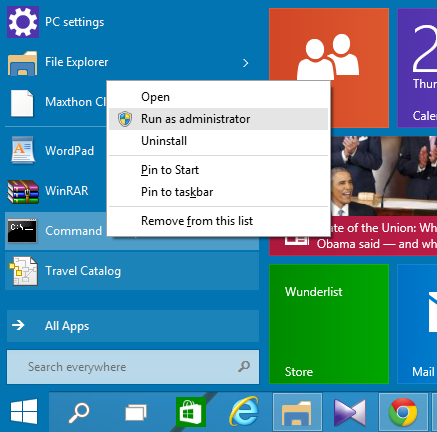
Step-1 : Run command prompt as Administrator.
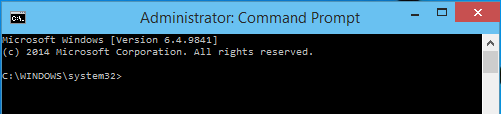
Step-2 : Run command as below
net stop mysqlStep-3 : Go to mysql\bin directory in command prompt using cd command.

Step-4 : Run the following command
mysqld --remove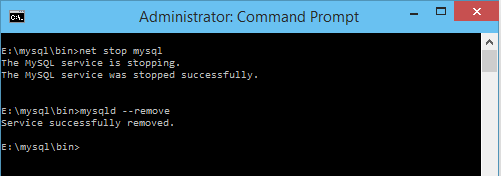
Your MySQL now successfully removed from windows service. Try it and enjoy. For any more about this topics please mention your question in comment box below.