
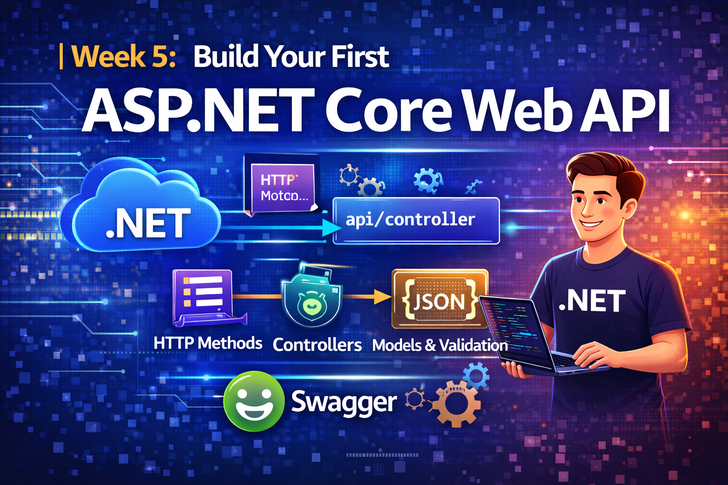
Modern applications depend heavily on APIs—from mobile apps to single-page web applications and microservices.
ASP.NET Core makes building fast, secure, and scalable Web APIs simple and developer-friendly.
In this article, you’ll build your first ASP.NET Core Web API from scratch, understand how it works, and learn best practices used in real-world projects.
By the end of this post, you will:
- Create a REST API using ASP.NET Core
- Understand controllers, routes, and HTTP methods
- Test APIs using Swagger
- Follow clean API design principles
What Is an ASP.NET Core Web API?
An ASP.NET Core Web API is a backend service that:
- Exposes endpoints over HTTP
- Uses JSON as data format
- Follows REST principles
- Can be consumed by frontend apps, mobile apps, or other services
Typical API Use Cases
- User authentication
- CRUD operations
- Mobile app backend
- Microservices communication
Step 1: Create a New Web API Project
Run the following command:
dotnet new webapi -n FirstWebApi
cd FirstWebApi
dotnet run
Once started, open your browser and navigate to:
https://localhost:5001/swagger
🎉 Congratulations! Your API is already running.
Step 2: Understanding Project Structure
FirstWebApi/
│
├── Controllers/
│   └── WeatherForecastController.cs
│
├── Program.cs
├── appsettings.json
└── FirstWebApi.csproj
Key Files Explained
| File             | Purpose                  |
| ---------------- | ------------------------ |
| Program.cs       | App startup & middleware |
| Controllers      | API endpoints            |
| appsettings.json | Configuration            |
| Swagger          | API documentation        |
Step 3: Understanding Controllers & Routing
Sample Controller
[ApiController]
[Route("api/[controller]")]
public class ProductsController : ControllerBase
{
    [HttpGet]
    public IActionResult GetAll()
    {
        return Ok(new[] { "Laptop", "Phone", "Tablet" });
    }
}
Route Breakdown
GET /api/products
[ApiController]→ Enables automatic validation[Route]→ Defines endpoint path[HttpGet]→ HTTP method
Step 4: HTTP Methods in Web API
| Method | Purpose              |
| ------ | -------------------- |
| GET    | Retrieve data        |
| POST   | Create new data      |
| PUT    | Update full resource |
| PATCH  | Partial update       |
| DELETE | Remove data          |
Example: POST Request
[HttpPost]
public IActionResult Create(string name)
{
    return Ok($"Product {name} created");
}
Step 5: Model & DTO Example
Create a Model
public class Product
{
    public int Id { get; set; }
    public string Name { get; set; }
    public decimal Price { get; set; }
}
Controller Using Model
[HttpPost]
public IActionResult Create(Product product)
{
    return Ok(product);
}
ASP.NET Core automatically maps JSON → C# object.
Step 6: Swagger – API Testing Made Easy
Swagger is enabled by default in development.
What Swagger Provides
- Interactive UI
- API documentation
- Request/response testing
Access it at:
/swagger
💡 Swagger is essential for frontend & mobile developers.
Step 7: Validation & Error Handling (Basic)
Validation Using Data Annotations
public class Product
{
    public int Id { get; set; }

    [Required]
    public string Name { get; set; }

    [Range(1, 100000)]
    public decimal Price { get; set; }
}
ASP.NET Core automatically returns 400 Bad Request if validation fails.
Common Beginner Mistakes 🚫
- Returning entities directly without DTOs
- No proper HTTP status codes
- Skipping validation
- Hardcoding logic inside controllers
- Ignoring Swagger documentation
Best Practices ✅
- Keep controllers thin
- Use Services for business logic
- Always return proper status codes
- Version your APIs
- Secure endpoints early
What You’ve Learned
✔ How to create an ASP.NET Core Web API
✔ Controllers, routes & HTTP verbs
✔ Model binding & validation
✔ Swagger integration
✔ API best practices
Final Thoughts
ASP.NET Core Web API is fast, scalable, and production-ready.
This foundation is essential for:
- Microservices
- Mobile apps
- Cloud-native systems