
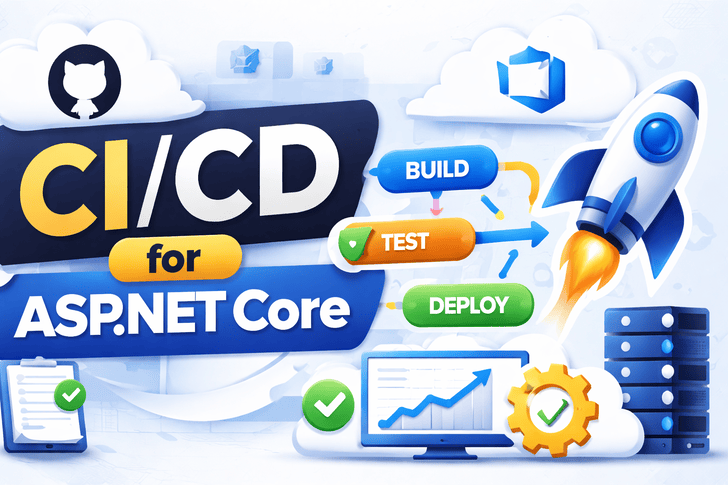
Deploying your ASP.NET Core app manually is error-prone and slow.
In modern software development, automation ensures reliability, speed, and repeatability.
This article covers setting up CI/CD pipelines for ASP.NET Core using GitHub Actions, including building, testing, and deploying your app to Docker + Nginx.
What is CI/CD?
- CI (Continuous Integration) → Automatically build & test code on every commit.
- CD (Continuous Deployment/Delivery) → Automatically deploy changes to staging/production after passing CI checks.
Benefits:
- Faster feedback loops
- Fewer bugs in production
- Consistent deployments
- Easy rollback
Step 1: Project Setup
Ensure your ASP.NET Core project has:
Dockerfile(from Week 12)- Unit & Integration tests (from Weeks 9–11)
- Git repository
Step 2: GitHub Actions Workflow
Create .github/workflows/ci-cd.yml:
name: ASP.NET Core CI/CD

on:
  push:
    branches: [ main ]
  pull_request:
    branches: [ main ]

jobs:
  build:
    runs-on: ubuntu-latest

    steps:
    - name: Checkout code
      uses: actions/checkout@v3

    - name: Setup .NET
      uses: actions/setup-dotnet@v3
      with:
        dotnet-version: 8.0.x

    - name: Restore dependencies
      run: dotnet restore

    - name: Build
      run: dotnet build --configuration Release --no-restore

    - name: Run tests
      run: dotnet test --no-restore --verbosity normal
Step 3: Build Docker Image in CI
Add to workflow:
    - name: Build Docker Image
      run: docker build -t myapp-api .

    - name: Login to DockerHub
      uses: docker/login-action@v2
      with:
        username: ${{ secrets.DOCKER_USERNAME }}
        password: ${{ secrets.DOCKER_PASSWORD }}

    - name: Push Docker Image
      run: docker push myapp-api:latest
✅ Secrets are stored securely in GitHub repo settings.
Step 4: Deploy to Server (SSH + Docker Compose)
Add deployment step:
    - name: Deploy to Server
      uses: appleboy/[email protected]
      with:
        host: ${{ secrets.SERVER_IP }}
        username: ${{ secrets.SERVER_USER }}
        key: ${{ secrets.SERVER_SSH_KEY }}
        script: |
          cd /home/ubuntu/myapp
          docker compose pull
docker compose up -d --build- Pulls latest image
- Rebuilds containers
- Runs with zero downtime
Step 5: Rollback Strategy
If something breaks:
- Previous Docker image is still available
- Run
docker compose up -d --no-deps myapp-api:<previous-tag> - Monitor logs using
docker logs -f <container>
Step 6: Environment-Based Deployment
- Staging branch → Deploy to staging server
- Main branch → Deploy to production server
- Use
.envfiles or Docker secrets for environment variables
Step 7: Automated Testing Integration
- Run all unit & integration tests before deployment
- Example:
run: dotnet test --no-restore --verbosity normal- Failing tests → CI stops → no broken code reaches production
Step 8: Health Checks & Monitoring
After deployment:
GET /healthendpoint → confirm app is alive- Centralized logging → Serilog, ELK
- Error monitoring → Sentry, Application Insights
Step 9: Security Best Practices in CI/CD
- Never store secrets in code
- Use HTTPS for deployments
- Enforce code reviews before merging
- Scan Docker images for vulnerabilities
Step 10: Optional Enhancements
- Slack/Teams notifications for deployment
- Auto-tagging Docker images with Git SHA
- Blue-Green or Canary deployments
- Automatic DB migrations using EF Core
CI/CD Pipeline Summary
- Developer pushes code → GitHub Actions triggers CI
- Unit & Integration tests run → build artifact created
- Docker image is built & pushed to registry
- Deployment job SSHs into server → Docker containers updated
- Health check confirms deployment success
This setup ensures repeatable, fast, and safe deployments.
Conclusion
By now, your ASP.NET Core project has:
- Full CI/CD pipeline
- Automated testing
- Dockerized deployment
- Secure production-ready architecture
✅ You are ready to deliver robust, scalable .NET applications to production with confidence.
🔜 Coming Next (Bonus Week 14)
Optional advanced week: Microservices & Kubernetes for ASP.NET Core
- Splitting monolith into microservices
- Deploying with Kubernetes
- Scaling & observability