
Introduction
Almost every real-world application needs a database.
In the .NET ecosystem, Entity Framework Core (EF Core) is the most popular and powerful way to work with databases.
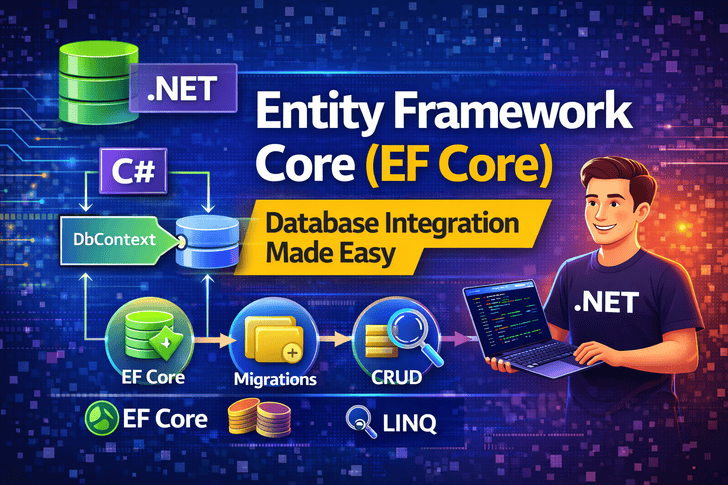
EF Core allows you to:
- Work with databases using C# instead of SQL
- Perform CRUD operations easily
- Keep your database in sync using migrations
- Write clean, maintainable data-access code
In this article, you’ll learn EF Core from zero to production-ready basics.
What Is Entity Framework Core?
Entity Framework Core (EF Core) is an Object-Relational Mapper (ORM).
👉 ORM means:
It maps database tables to C# classes automatically.
Without EF Core
SELECT * FROM Products WHERE Id = 1;
With EF Core
var product = context.Products.FirstOrDefault(p => p.Id == 1);
✔ Less SQL
✔ More productivity
✔ Strong typing
EF Core Architecture (High Level)
Controller → Service → DbContext → Database
- DbContext → Database session
- DbSet<T> → Table
- Entity → Table row
Step 1: Install EF Core Packages
For SQL Server:
dotnet add package Microsoft.EntityFrameworkCore.SqlServer
dotnet add package Microsoft.EntityFrameworkCore.Tools
Step 2: Create Your First Entity (Model)
public class Product
{
    public int Id { get; set; }
    public string Name { get; set; }
    public decimal Price { get; set; }
}
✔ One class = One database table
Step 3: Create DbContext
public class AppDbContext : DbContext
{
    public AppDbContext(DbContextOptions<AppDbContext> options)
        : base(options) { }

    public DbSet<Product> Products { get; set; }
}
📌 DbContext manages database connections and queries.
Step 4: Configure Database Connection
appsettings.json
"ConnectionStrings": {
  "DefaultConnection": "Server=.;Database=ShopDb;Trusted_Connection=True;"
}
Program.cs
builder.Services.AddDbContext<AppDbContext>(options =>
    options.UseSqlServer(builder.Configuration.GetConnectionString("DefaultConnection"))
);
Step 5: EF Core Migrations
Migrations keep your database schema in sync with code.
Create Migration
dotnet ef migrations add InitialCreate
Apply Migration
dotnet ef database update
✔ Tables are created automatically
✔ No manual SQL needed
Step 6: CRUD Operations with EF Core
Create (Insert)
context.Products.Add(new Product
{
    Name = "Laptop",
    Price = 1200
});
context.SaveChanges();
Read (Select)
var products = context.Products.ToList();
var product = context.Products.Find(1);
Update
var product = context.Products.Find(1);
product.Price = 1500;
context.SaveChanges();
Delete
var product = context.Products.Find(1);
context.Products.Remove(product);
context.SaveChanges();
Step 7: LINQ Queries in EF Core
EF Core uses LINQ to query data.
var expensiveProducts = context.Products
    .Where(p => p.Price > 1000)
    .OrderByDescending(p => p.Price)
    .ToList();
✔ Strongly typed
✔ Compile-time safety
Step 8: Relationships in EF Core
One-to-Many Example
public class Category
{
    public int Id { get; set; }
    public string Name { get; set; }

    public List<Product> Products { get; set; }
}
public class Product
{
    public int Id { get; set; }
    public string Name { get; set; }

    public int CategoryId { get; set; }
    public Category Category { get; set; }
}
EF Core automatically creates foreign keys.
Step 9: Async Operations (Best Practice)
var products = await context.Products.ToListAsync();
✔ Better performance
✔ Scales well
Common EF Core Mistakes 🚫
- Forgetting
SaveChanges() - Not using async methods
- Exposing DbContext directly
- Loading too much data (no pagination)
- Ignoring indexes
EF Core Best Practices ✅
- Use DTOs, not entities in API responses
- Use
AsNoTracking()for read-only queries - Keep DbContext lifetime scoped
- Add indexes for frequently queried columns
- Separate data access from controllers
What You’ve Learned
✔ What EF Core is
✔ DbContext & DbSet
✔ Migrations
✔ CRUD operations
✔ LINQ queries
✔ Relationships
You can now build real database-driven applications with ASP.NET Core 🚀