
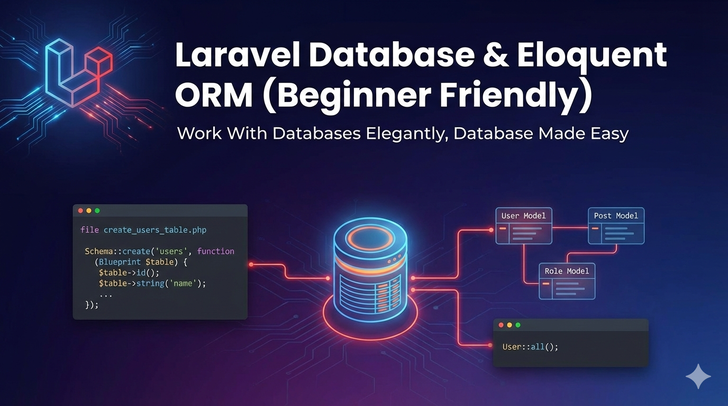
📌 What is Eloquent ORM?
Eloquent is Laravel’s built-in Object-Relational Mapping (ORM) system.
It allows you to interact with databases using PHP objects, rather than writing raw SQL queries.
Benefits:
- Clean, readable code
- Simplifies CRUD operations
- Supports relationships (one-to-one, one-to-many, many-to-many)
- Built-in query builder
⚙️ Database Setup in Laravel
1. Configure .env file
DB_CONNECTION=mysql
DB_HOST=127.0.0.1
DB_PORT=3306
DB_DATABASE=laravel_db
DB_USERNAME=root
DB_PASSWORD=
2. Run Migration
Laravel comes with a users table by default. Run:
php artisan migrate
- Creates tables defined in
database/migrations/ - Each migration represents a table
🔹 Creating a Model
Use Artisan command:
php artisan make:model Post
- Creates
app/Models/Post.php - Represents
poststable (Laravel uses plural table name by default)
Basic CRUD with Eloquent
Create Record
$post = new Post;
$post->title = "Laravel ORM Tutorial";
$post->body = "Learn Eloquent ORM in Laravel step by step.";
$post->save();
Read Record
$posts = Post::all(); // Fetch all posts
$post = Post::find(1); // Fetch post by ID
Update Record
$post = Post::find(1);
$post->title = "Updated Title";
$post->save();
Delete Record
$post = Post::find(1);
$post->delete();
🔹 Eloquent Relationships
Eloquent makes database relationships easy.
1. One-to-One
User has one Profile
User.php:
public function profile() {
    return $this->hasOne(Profile::class);
}
Profile.php:
public function user() {
    return $this->belongsTo(User::class);
}
Access:
$user = User::find(1);
$profile = $user->profile;
2. One-to-Many
Category has many Posts
Category.php:
public function posts() {
    return $this->hasMany(Post::class);
}
Post.php:
public function category() {
    return $this->belongsTo(Category::class);
}
Access:
$category = Category::find(1);
$posts = $category->posts;
3. Many-to-Many
Posts belong to many Tags
Post.php:
public function tags() {
    return $this->belongsToMany(Tag::class);
}
Tag.php:
public function posts() {
    return $this->belongsToMany(Post::class);
}
- Pivot table required:
post_tag - Access:
$post = Post::find(1);
$tags = $post->tags;
🔹 Query Builder Examples
Eloquent provides a fluent query builder:
$posts = Post::where('status', 'published')
             ->orderBy('created_at', 'desc')
             ->take(5)
             ->get();
Other useful methods:
first()pluck('title')count()exists()
🔹 Using Migrations
Migrations allow you to version control your database.
Example: Create posts table
php artisan make:migration create_posts_table
database/migrations/xxxx_create_posts_table.php:
public function up() {
    Schema::create('posts', function (Blueprint $table) {
        $table->id();
        $table->string('title');
        $table->text('body');
        $table->timestamps();
    });
}
Run migration:
php artisan migrate
📌 Key Takeaways
This week you learned:
- How to configure database in Laravel
- How to use Eloquent ORM for CRUD operations
- How to define one-to-one, one-to-many, and many-to-many relationships
- How to use query builder for filtering and sorting
- How to use migrations to manage database schema