
Introduction
In Django, middleware is a powerful concept that allows you to intercept and process requests and responses globally.
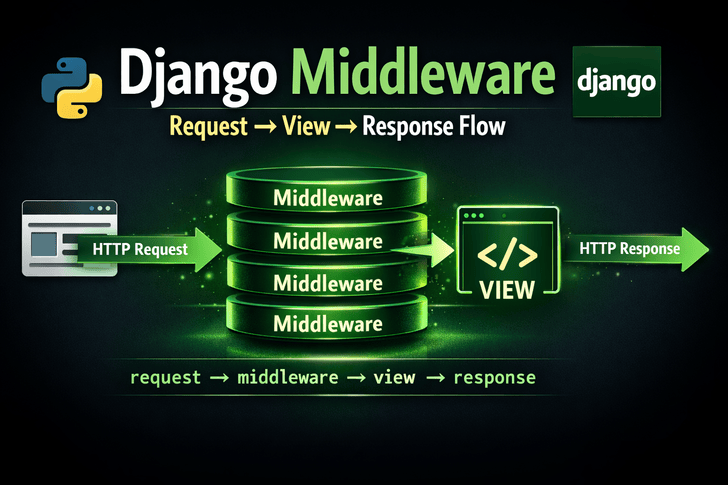
Middleware sits between the web server and your views, letting you:
- Modify requests before they reach your view
- Modify responses before they reach the client
- Add functionality like authentication, logging, security, and more
In this article, we’ll cover:
- What middleware is
- How it works
- Writing custom middleware
- Best practices
By the end, you’ll understand how to control the flow of requests and responses like a pro.
What Is Django Middleware?
Middleware is a Python class or function that processes request and response objects globally.
- Every request passes through the middleware stack before reaching views
- Every response passes through the middleware stack before being sent to the client
Django ships with built-in middleware for common tasks like:
- Session management
- Authentication
- CSRF protection
- Security headers
How Middleware Works
- Request Phase: Middleware can inspect or modify the incoming request
- View Phase: Request reaches the view for processing
- Response Phase: Middleware can inspect or modify the outgoing response
Example Flow:
Browser → Middleware 1 → Middleware 2 → View → Middleware 2 → Middleware 1 → Browser
Built-in Middleware Examples
Django includes several middleware classes by default in settings.py:
MIDDLEWARE = [
    'django.middleware.security.SecurityMiddleware',
    'django.contrib.sessions.middleware.SessionMiddleware',
    'django.middleware.common.CommonMiddleware',
    'django.middleware.csrf.CsrfViewMiddleware',
    'django.contrib.auth.middleware.AuthenticationMiddleware',
    'django.contrib.messages.middleware.MessageMiddleware',
]- SecurityMiddleware → Adds security headers
- SessionMiddleware → Manages session data
- CsrfViewMiddleware → Protects against CSRF attacks
- AuthenticationMiddleware → Associates users with requests
Writing Custom Middleware
You can write your own middleware to handle specific logic globally.
Example: Logging Middleware
# myproject/middleware.py
import logging

logger = logging.getLogger(__name__)

class LogRequestMiddleware:
    def __init__(self, get_response):
        self.get_response = get_response

    def __call__(self, request):
        # Code executed before the view
        logger.info(f"Request path: {request.path}")

        response = self.get_response(request)

        # Code executed after the view
        logger.info(f"Response status: {response.status_code}")

        return response
Enable Custom Middleware
Add it to settings.py:
MIDDLEWARE = [
    'myproject.middleware.LogRequestMiddleware',
    # other middleware...
]
Middleware Tips
- Order Matters
Middleware is executed in the order listed for requests, and reverse order for responses. - Keep Middleware Lightweight
Avoid heavy operations like database queries in middleware for performance reasons. - Use Middleware for Cross-Cutting Concerns
Ideal for logging, authentication, security, or response modification. - Avoid Business Logic
Business logic should stay in views or services, not middleware.
Example Use Cases
- Authentication & Authorization → Verify user tokens before reaching views
- Logging & Analytics → Track user activity
- Request Modification → Add headers, change URL, or redirect
- Response Modification → Compress response, add headers, or handle errors
Final Thoughts
Middleware is a powerful mechanism in Django that allows you to process requests and responses globally.
By mastering middleware, you can:
- Add features that apply across your entire app
- Improve security, logging, and performance
- Simplify repetitive tasks without touching individual views
Understanding middleware is key to building scalable, maintainable Django applications.