
Introduction
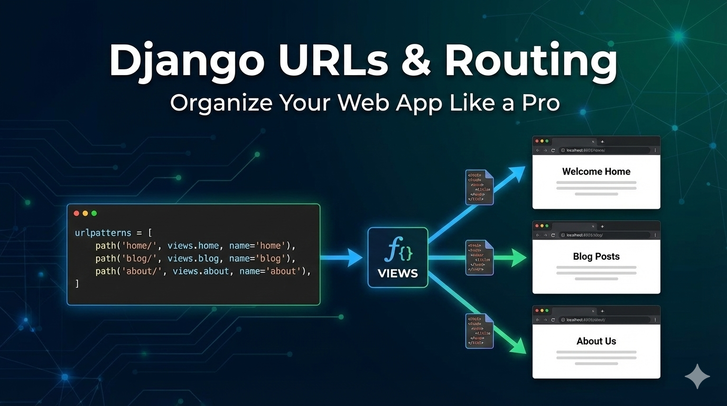
In Django, URLs are the gateway to your application.
They determine what users see when they visit a specific link and how requests are routed to views.
Understanding URL routing is essential for:
- Building clean, maintainable web applications
- Creating SEO-friendly URLs
- Organizing apps logically
In this article, we’ll cover:
- Django URL patterns
- Namespaces
- Including app URLs
- Best practices for scalable projects
Understanding Django URL Patterns
Django uses urls.py files to map URLs to views.
Example:
# myproject/urls.py
from django.contrib import admin
from django.urls import path
from blog import views

urlpatterns = [
    path('admin/', admin.site.urls),
    path('', views.home, name='home'),
    path('about/', views.about, name='about'),
]
path()→ maps a URL to a viewname→ allows reverse URL lookup in templates and views
Dynamic URLs with Parameters
URLs can capture variables from the path.
Example:
# blog/urls.py
from django.urls import path
from .views import post_detail

urlpatterns = [
    path('post/<int:pk>/', post_detail, name='post-detail'),
]
<int:pk>→ captures an integer and passes it to the view<str:username>→ captures a string
Corresponding View:
def post_detail(request, pk):
    post = BlogPost.objects.get(pk=pk)
    return render(request, 'blog/detail.html', {'post': post})
URL Namespaces
Namespaces help organize URLs across multiple apps.
Example:
# blog/urls.py
app_name = 'blog'

urlpatterns = [
    path('', views.home, name='home'),
    path('post/<int:pk>/', views.post_detail, name='post-detail'),
]
Template Usage:
<a href="{% url 'blog:post-detail' pk=post.id %}">{{ post.title }}</a>
blog:→ namespacepost-detail→ URL name
This avoids conflicts in large projects.
Including App URLs in Project
Instead of defining all URLs in myproject/urls.py, include app-specific URLs.
# myproject/urls.py
from django.contrib import admin
from django.urls import path, include

urlpatterns = [
    path('admin/', admin.site.urls),
    path('blog/', include('blog.urls')),
    path('accounts/', include('accounts.urls')),
]
include()→ points to anotherurls.py- Makes projects modular and maintainable
Using Regular Expressions (Optional)
Django also supports re_path for regex-based URLs:
from django.urls import re_path
from . import views

urlpatterns = [
    re_path(r'^post/(?P<pk>[0-9]+)/$', views.post_detail, name='post-detail'),
]
- More flexible, but usually
path()is simpler and preferred
Best Practices for URL Design
1. Keep URLs clean and readable
/blog/post/1/   ✅
/blog/post?id=1 ❌
2. Use nouns, not verbs
/blog/instead of/get-blogs/
3. Use trailing slashes consistently
4. Namespace app URLs for larger projects
5. Use URL names for template linking
6. Avoid hardcoding URLs in templates
Reverse URL Lookup
Django allows dynamic URL generation in views and templates.
In Template:
<a href="{% url 'blog:home' %}">Home</a>
In Python Code:
from django.urls import reverse
reverse('blog:post-detail', kwargs={'pk': 1})
- Makes URL changes easier and avoids hardcoding
Final Thoughts
Proper URL routing is essential for maintainable, scalable Django applications.
- Use
path()for simplicity - Capture parameters for dynamic content
- Namespace app URLs to avoid conflicts
- Use
include()to organize app URLs
With clean URLs and proper routing, your Django project will be professional, modular, and SEO-friendly.