
In Week 1, we learned what Java is and wrote our first “Hello World” program.
In Week 2, we covered Java syntax, variables, and data types.
Now, in this article, it’s time to make our programs dynamic.
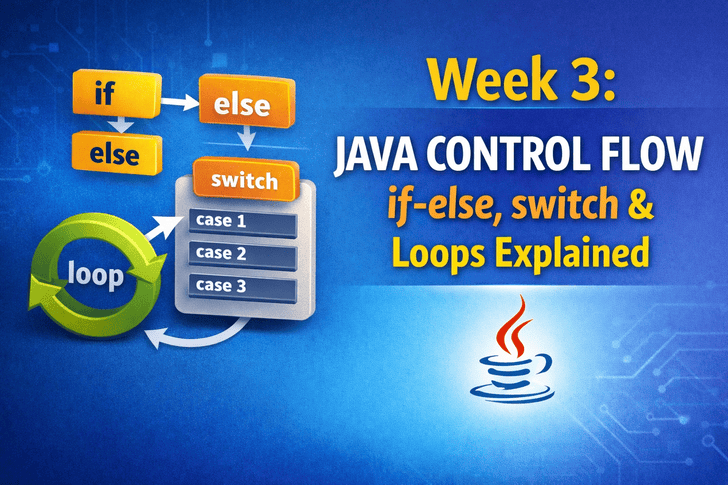
We’ll explore control flow statements in Java, which let us decide what a program should do under different conditions and repeat tasks efficiently.
By the end of this article, you’ll understand:
- if-else statements
- switch-case statements
- for, while, and do-while loops
- How to combine conditions for practical programs
What Is Control Flow?
Control flow determines the order in which code executes.
Without control flow:
System.out.println("Task 1");
System.out.println("Task 2");
System.out.println("Task 3");
The program will always do tasks in the same order.
Control flow allows:
- Decision making (
if-else,switch) - Repeating tasks (
for,while,do-while)
1️⃣ if-else Statements
Used to execute code conditionally.
Syntax:
if(condition) {
    // code if condition is true
} else {
    // code if condition is false
}
Example:
int age = 18;

if(age >= 18) {
    System.out.println("You are an adult.");
} else {
    System.out.println("You are a minor.");
}
Output:
You are an adult.else-if Ladder
When you have multiple conditions:
int marks = 75;

if(marks >= 90) {
    System.out.println("Grade A");
} else if(marks >= 75) {
    System.out.println("Grade B");
} else if(marks >= 50) {
    System.out.println("Grade C");
} else {
    System.out.println("Fail");
}
Output:
Grade B2️⃣ switch Statement
Useful when multiple discrete values need checking.
Syntax:
switch(variable) {
    case value1:
        // code
        break;
    case value2:
        // code
        break;
    default:
        // code if no match
}
Example:
int day = 3;

switch(day) {
    case 1:
        System.out.println("Monday");
        break;
    case 2:
        System.out.println("Tuesday");
        break;
    case 3:
        System.out.println("Wednesday");
        break;
    default:
        System.out.println("Invalid day");
}
Output:
Wednesday3️⃣ Loops in Java
Loops let you repeat code without writing it multiple times.
3.1 for Loop
for(int i = 1; i <= 5; i++) {
    System.out.println("Count: " + i);
}
Output:
Count: 1
Count: 2
Count: 3
Count: 4
Count: 5
3.2 while Loop
Executes while condition is true.
int i = 1;
while(i <= 5) {
    System.out.println("Count: " + i);
    i++;
}
3.3 do-while Loop
Executes at least once, then checks condition.
int i = 1;
do {
    System.out.println("Count: " + i);
    i++;
} while(i <= 5);
4️⃣ Break & Continue
break→ exits the loop immediatelycontinue→ skips current iteration and continues next
Example:
for(int i = 1; i <= 5; i++) {
    if(i == 3) continue; // skip 3
    System.out.println(i);
}
Output:
1
2
4
5
5️⃣ Combining Loops & Conditions
Practical example: Number guessing game
import java.util.Scanner;
import java.util.Random;

public class GuessNumber {
    public static void main(String[] args) {
        Random rand = new Random();
        int number = rand.nextInt(10) + 1; // 1-10
        Scanner sc = new Scanner(System.in);
        int guess;

        do {
            System.out.print("Guess a number (1-10): ");
            guess = sc.nextInt();

            if(guess < number) {
                System.out.println("Too low!");
            } else if(guess > number) {
                System.out.println("Too high!");
            } else {
                System.out.println("Correct! You win!");
            }
        } while(guess != number);
    }
}
Common Beginner Mistakes
- Forgetting
{}for multiple statements in if/else - Missing
breakin switch-case - Infinite loops (forgetting increment/decrement)
- Using assignment
=instead of comparison==
Summary
In this article, you learned:
- if-else statements for decision making
- switch-case for multiple discrete values
- for, while, do-while loops for repeating tasks
- break & continue usage
- Combining loops and conditions for real-world logic
These control structures are the backbone of every Java program.
Next Article Preview 👀
Next week, we’ll explore:
- Arrays – store multiple values
- Strings – manipulate text
- StringBuilder vs StringBuffer
Get ready to organize and manipulate data like a pro!