
📖 The Ingress Limitation: Why We Needed Something Better
If you've worked with Kubernetes in production, you've likely encountered the traditional Ingress resource. It served us well in the early days, but as clusters grew and multi-team environments became the norm, its limitations became painfully clear:
# The old way - everything in one resource
apiVersion: networking.k8s.io/v1
kind: Ingress
metadata:
  name: my-app-ingress
  annotations:
    nginx.ingress.kubernetes.io/rewrite-target: /
    nginx.ingress.kubernetes.io/ssl-redirect: "true"
    # Vendor-specific annotations piling up...
spec:
  rules:
  - host: app.company.com
    http:
      paths:
      - path: /api
        backend:
          service:
            name: api-service
            port:
              number: 80
The Problems:
❌ Mixed concerns: Infrastructure and application routing in one resource
❌ Limited capabilities: Basic path and host-based routing only
❌ Vendor lock-in: Controller-specific annotations everywhere
❌ No role separation: Developers needing cluster-wide permissions
❌ Complex multi-tenant: Namespace isolation was challenging
🎯 Enter Gateway API: The Game Changer
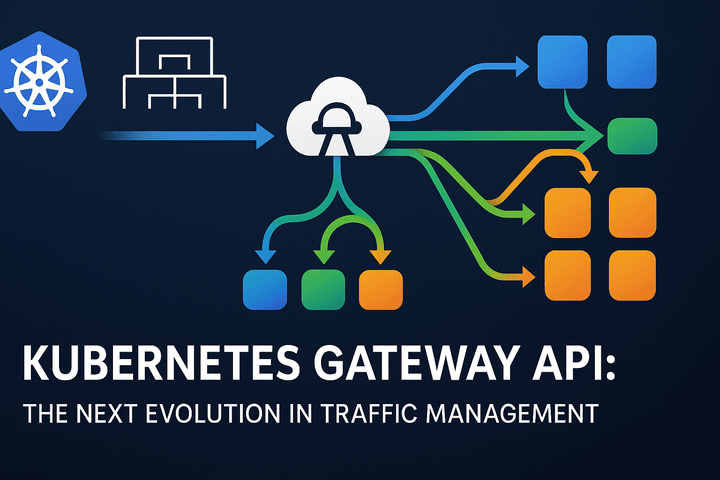
The Gateway API is not just an incremental improvement—it's a complete rethinking of how traffic management should work in Kubernetes. Built on lessons from years of Ingress usage, it introduces clear separation of concerns and enterprise-grade features.
🏗️ The Three Pillar Architecture
1. GatewayClass - Infrastructure Team's Domain
Infrastructure teams define the types of load balancers available in the cluster.
2. Gateway - Cluster Operator's Responsibility
Operators provision actual load balancers and define entry points.
3. HTTPRoute - Developer's Playground
Developers control their application routing without touching infrastructure.
🛠️ Hands-On: Implementing Gateway API Step by Step
Step 1: Infrastructure Team Defines Available Gateway Types
# GatewayClass - Define what types of load balancers are available
apiVersion: gateway.networking.k8s.io/v1
kind: GatewayClass
metadata:
  name: company-aws-alb
spec:
  controllerName: "gateway.aws.company.com/controller"
  description: "AWS Application Load Balancer with WAF integration"
  parametersRef:
    name: aws-alb-config
    group: gateway.aws.company.com
    kind: ALBConfig
---
# Custom configuration for the GatewayClass
apiVersion: gateway.aws.company.com/v1alpha1
kind: ALBConfig
metadata:
  name: aws-alb-config
spec:
  securityGroups:
    - sg-12345678
  scheme: internet-facing
  ipAddressType: ipv4
  wafEnabled: true
Step 2: Cluster Operator Provisions the Gateway
# Gateway - The actual load balancer provisioning
apiVersion: gateway.networking.k8s.io/v1
kind: Gateway
metadata:
  name: production-gateway
  namespace: gateway-infra
spec:
  gatewayClassName: company-aws-alb
  listeners:
  - name: https-web
    port: 443
    protocol: HTTPS
    hostname: "*.apps.company.com"
    tls:
      mode: Terminate
      certificateRefs:
      - name: wildcard-tls-cert
    allowedRoutes:
      namespaces:
        from: Selector
        selector:
          matchLabels:
            network-access: "true"
            environment: production
  - name: https-api
    port: 443
    protocol: HTTPS
    hostname: "api.company.com"
    tls:
      mode: Terminate
      certificateRefs:
      - name: api-tls-cert
    allowedRoutes:
      namespaces:
        from: Selector
        selector:
          matchLabels:
            network-access: "true"
Step 3: Developer Creates Application Routing
# Namespace setup with proper labels
apiVersion: v1
kind: Namespace
metadata:
  name: ecommerce-team
  labels:
    network-access: "true"
    environment: production
    team: ecommerce
---
# HTTPRoute - Developer controls their app routing
apiVersion: gateway.networking.k8s.io/v1
kind: HTTPRoute
metadata:
  name: shop-frontend
  namespace: ecommerce-team
spec:
  parentRefs:
  - name: production-gateway
    namespace: gateway-infra
    sectionName: https-web
  hostnames:
  - "shop.apps.company.com"
  - "www.company.com"

  rules:
  # Canary release with 10% traffic to new version
  - matches:
    - path:
        type: PathPrefix
        value: /checkout
    backendRefs:
    - name: checkout-service-v1
      port: 8080
      weight: 90
    - name: checkout-service-v2
      port: 8080
      weight: 10

  # Mobile users get different backend
  - matches:
    - headers:
      - name: User-Agent
        value: ".*Mobile.*"
    backendRefs:
    - name: mobile-optimized-service
      port: 8080
      weight: 100

  # A/B testing for new feature
  - matches:
    - headers:
      - name: X-Feature-Flag
        value: "new-ui"
    backendRefs:
    - name: frontend-new-ui
      port: 80
      weight: 100

  # Default route
  - matches:
    - path:
        type: PathPrefix
        value: /
    backendRefs:
    - name: frontend-service
      port: 80
      weight: 100
🚀 Advanced Traffic Management Made Simple
Traffic Mirroring for Safe Testing
apiVersion: gateway.networking.k8s.io/v1
kind: HTTPRoute
metadata:
  name: user-service
  namespace: user-team
spec:
  parentRefs:
  - name: production-gateway
    namespace: gateway-infra
  hostnames:
  - "api.company.com"
  rules:
  - matches:
    - path:
        type: PathPrefix
        value: /users
    filters:
    - type: RequestMirror  # Mirror traffic to staging
      requestMirror:
        backendRef:
          name: user-service-staging
          port: 8080
    backendRefs:
    - name: user-service-production
      port: 8080
      weight: 100
Retry Logic and Timeout Configuration
apiVersion: gateway.networking.k8s.io/v1
kind: HTTPRoute
metadata:
  name: payment-service
  namespace: payments-team
spec:
  parentRefs:
  - name: production-gateway
    namespace: gateway-infra
  hostnames:
  - "payments.company.com"
  rules:
  - matches:
    - path:
        type: PathPrefix
        value: /process
    filters:
    - type: RequestTimeout
      requestTimeout:
        duration: 10s
    - type: RequestRetry
      requestRetry:
        count: 3
        backoff:
          type: Linear
          interval: 1s
    backendRefs:
    - name: payment-processor
      port: 8080
      weight: 100
🔒 Multi-Tenant Security and Cross-Namespace Routing
Secure Namespace Isolation
# Gateway with namespace restrictions
apiVersion: gateway.networking.k8s.io/v1
kind: Gateway
metadata:
  name: restricted-gateway
  namespace: gateway-infra
spec:
  gatewayClassName: company-aws-alb
  listeners:
  - name: https
    port: 443
    protocol: HTTPS
    hostname: "*.secured.company.com"
    allowedRoutes:
      namespaces:
        from: Selector
        selector:
          matchLabels:
            security-tier: high
            pci-compliant: "true"
Cross-Namespace Routing Made Safe
# Frontend team can route to backend team's service
apiVersion: gateway.networking.k8s.io/v1
kind: HTTPRoute
metadata:
  name: frontend-route
  namespace: frontend-team
spec:
  parentRefs:
  - name: production-gateway
    namespace: gateway-infra
  hostnames:
  - "app.company.com"
  rules:
  - matches:
    - path:
        type: PathPrefix
        value: /api
    backendRefs:
    - name: backend-service
      namespace: backend-team  # Explicit cross-namespace reference
      port: 8080
      weight: 100
📊 Real-World Benefits You'll Actually Feel
🎯 For Infrastructure Teams:
Standardized load balancer configurations across the organization
Centralized TLS/SSL management at the gateway level
Consistent security policies enforced gateway-wide
Reduced operational overhead with self-service routing
🎯 For Cluster Operators:
Clear ownership boundaries between infrastructure and applications
Better resource utilization with shared gateways
Improved monitoring and observability with gateway-level metrics
Simplered disaster recovery with declarative gateway configurations
🎯 For Application Developers:
Self-service routing without waiting for operations teams
Advanced traffic features like canary releases and A/B testing
Namespace isolation with safe cross-namespace references
No more YAML annotation soup from different ingress controllers
🚀 Getting Started with Gateway API
Prerequisites Checklist:
Kubernetes cluster 1.20+
Gateway API CRDs installed
Compatible ingress controller (Contour, Istio, NGINX, etc.)
RBAC configurations for multi-team access
Quick Installation:
# Install Gateway API CRDs
kubectl apply -f https://github.com/kubernetes-sigs/gateway-api/releases/download/v1.0.0/standard-install.yaml

# Install a compatible controller (example with Contour)
kubectl apply -f https://projectcontour.io/quickstart/contour-gateway-provisioner.yaml

# Verify installation
kubectl get gatewayclass
kubectl get gateways -A
🎯 When Should You Adopt Gateway API?
✅ Perfect Use Cases:
Multi-team Kubernetes environments
Organizations with dedicated platform teams
Need for advanced traffic management (canary, mirroring, etc.)
Requirements for strict security and compliance
Moving from legacy ingress controllers
⚠️ Considerations:
Learning curve for teams familiar with traditional Ingress
Controller support varies across providers
Migration effort from existing ingress configurations
Tooling ecosystem still evolving
📈 Migration Strategy: From Ingress to Gateway API
Phase 1: Coexistence
Run both Ingress and Gateway API resources side-by-side during migration.
Phase 2: Gradual Migration
Convert simple ingress routes to HTTPRoutes, starting with new applications.
Phase 3: Full Transition
Migrate complex routing rules and decommission old ingress resources.
🔮 The Future is Gateway API
The Gateway API represents the future of Kubernetes networking. With major cloud providers and ingress controllers adding support, it's quickly becoming the standard for production-grade traffic management.
Key takeaways:
🎯 Separation of concerns enables team autonomy
🚀 Advanced features support modern deployment strategies
🔒 Built-in security with namespace isolation
🌐 Vendor neutrality reduces lock-in
📈 Enterprise-ready for complex environments
The Gateway API isn't just another Kubernetes resource—it's a fundamental shift that makes complex traffic management accessible, secure, and maintainable. It's time to move beyond basic Ingress and embrace the future of Kubernetes networking.