
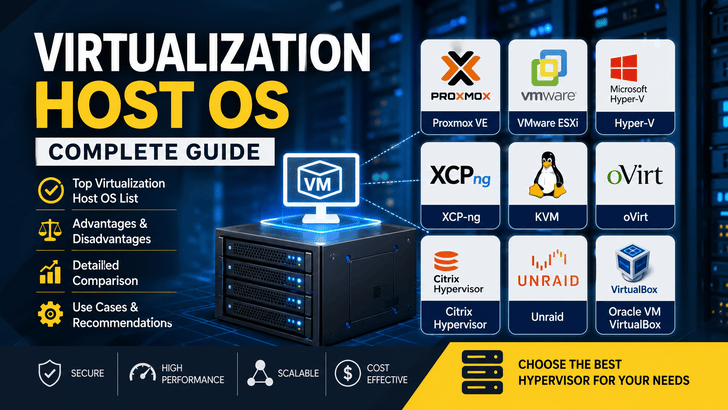
Virtualization has become a core building block of modern infrastructure—powering cloud platforms, SaaS products, hosting environments, and internal enterprise systems. At the heart of virtualization lies the Virtualization Host Operating System, commonly known as a hypervisor.
This article provides a detailed overview of the most popular virtualization host OS options, including their advantages, disadvantages, and when to use each.
🧩 What is a Virtualization Host OS?
A Virtualization Host OS (or hypervisor) is software that allows a single physical machine (server) to run multiple isolated virtual machines (VMs). Each VM behaves like an independent computer with its own OS and applications.
Types of Hypervisors
- Type-1 (Bare Metal): Runs directly on hardware
→ Examples: Proxmox VE, VMware ESXi - Type-2 (Hosted): Runs on top of an existing OS
→ Example: Oracle VM VirtualBox
For production environments, Type-1 hypervisors are the standard due to better performance and isolation.
🥇 Popular Virtualization Host OS
1. Proxmox VE
Type: Type-1
Base: Debian Linux
Overview
Proxmox VE is a powerful open-source virtualization platform combining KVM-based virtual machines and LXC containers in a single solution. It offers a clean web interface and enterprise-grade features without licensing costs.
Advantages
- Free and open-source
- Integrated web-based management UI
- Supports both VMs (KVM) and containers (LXC)
- Built-in backup, snapshot, and clustering
- Active community and frequent updates
Disadvantages
- Enterprise support requires subscription
- Advanced configurations can be complex
Best Use Cases
- Startups and small-to-medium businesses
- Homelabs and testing environments
- Budget-friendly production setups
2. VMware ESXi
Type: Type-1
Overview
VMware ESXi is a widely adopted enterprise-grade hypervisor known for its stability, performance, and mature ecosystem.
Advantages
- Industry-leading performance and reliability
- Advanced features like vMotion, HA, and DRS
- Strong enterprise support and ecosystem
Disadvantages
- Expensive licensing
- Free version has significant limitations
Best Use Cases
- Large-scale enterprise environments
- Mission-critical systems requiring high availability
3. XCP-ng
Type: Type-1
Base: Xen Hypervisor
Overview
XCP-ng is an open-source virtualization platform based on Xen, designed as an alternative to commercial solutions like VMware.
Advantages
- Fully open-source
- Good performance and scalability
- Managed via Xen Orchestra (web interface)
Disadvantages
- Smaller community than VMware or Proxmox
- Some features require additional setup
Best Use Cases
- Organizations seeking open-source enterprise solutions
- Budget-conscious data centers
4. Microsoft Hyper-V
Type: Type-1 (integrated with Windows)
Overview
Hyper-V is Microsoft’s native hypervisor, deeply integrated with Windows Server and enterprise tools.
Advantages
- Seamless integration with Windows ecosystem
- Active Directory support
- Good performance for Windows workloads
Disadvantages
- Less optimized for Linux-heavy environments
- Management tools can be complex
Best Use Cases
- Windows-based enterprises
- Organizations using Microsoft technologies
5. KVM (Kernel-based Virtual Machine)
Type: Type-1 (built into Linux kernel)
Overview
KVM is not a standalone OS but a virtualization module built into the Linux kernel. Many platforms (like Proxmox) use KVM under the hood.
Advantages
- Fully open-source
- High performance and stability
- Flexible and customizable
Disadvantages
- No built-in GUI (requires tools like virt-manager)
- Steeper learning curve
Best Use Cases
- Developers and DevOps engineers
- Custom cloud infrastructure
6. oVirt
Type: Type-1 (KVM-based)
Overview
oVirt is an open-source virtualization management platform backed by Red Hat technologies.
Advantages
- Enterprise-grade open-source solution
- Advanced management features
- Scalable architecture
Disadvantages
- Complex installation and maintenance
- Smaller community compared to alternatives
Best Use Cases
- Large-scale open-source enterprise deployments
7. Citrix Hypervisor
Type: Type-1
Overview
Citrix Hypervisor (formerly XenServer) is a commercial virtualization platform based on Xen.
Advantages
- Strong performance
- Mature enterprise features
Disadvantages
- Licensing complexity
- Declining popularity compared to competitors
Best Use Cases
- Existing Citrix environments
- Legacy enterprise systems
8. Unraid
Type: Hybrid (NAS + virtualization + containers)
Overview
Unraid is a flexible server OS combining storage management, virtualization, and Docker containers in a single platform.
Advantages
- Easy-to-use web interface
- Combines NAS, VMs, and containers
- Ideal for home labs
Disadvantages
- Paid license required
- Not designed for large enterprise deployments
Best Use Cases
- Home servers
- Media servers and personal cloud
9. Oracle VM VirtualBox
Type: Type-2
Overview
VirtualBox is a desktop virtualization tool designed for running VMs on personal computers.
Advantages
- Free and easy to use
- Cross-platform support
- Great for testing and development
Disadvantages
- Lower performance than Type-1 hypervisors
- Not suitable for production
Best Use Cases
- Local development and testing
- Learning virtualization concepts
⚖️ Comparison Overview
| Platform          | Type   | Cost    | UI     | Best For               |
| ----------------- | ------ | ------- | ------ | ---------------------- |
| Proxmox VE        | Type-1 | Free    | Web UI | All-purpose            |
| VMware ESXi       | Type-1 | Paid    | Web UI | Enterprise             |
| XCP-ng            | Type-1 | Free    | Web UI | Open-source enterprise |
| Hyper-V           | Type-1 | Partial | GUI    | Windows infra          |
| KVM               | Type-1 | Free    | CLI    | Custom setups          |
| oVirt             | Type-1 | Free    | Web UI | Large-scale infra      |
| Citrix Hypervisor | Type-1 | Paid    | GUI    | Enterprise             |
| Unraid            | Hybrid | Paid    | Web UI | Home server            |
| VirtualBox        | Type-2 | Free    | GUI    | Development            |
🧠 How to Choose the Right One
Your choice depends on several factors:
1. Budget
- Free → Proxmox, XCP-ng, KVM
- Paid → VMware ESXi, Unraid
2. Skill Level
- Beginner → Proxmox VE
- Advanced → KVM, oVirt
3. Environment
- Enterprise → VMware ESXi, Hyper-V
- Open-source stack → XCP-ng, oVirt
- Home lab → Proxmox, Unraid
🚀 Final Thoughts
There is no single “best” virtualization host OS—it depends entirely on your needs.
- If you want a powerful, free, and easy-to-use solution, go with Proxmox VE
- If you need enterprise-grade reliability and support, choose VMware ESXi
- If you prefer open-source enterprise alternatives, consider XCP-ng or oVirt
- If you're building custom infrastructure, use KVM directly
Virtualization is the foundation of modern infrastructure, and choosing the right host OS can significantly impact performance, scalability, and cost.