
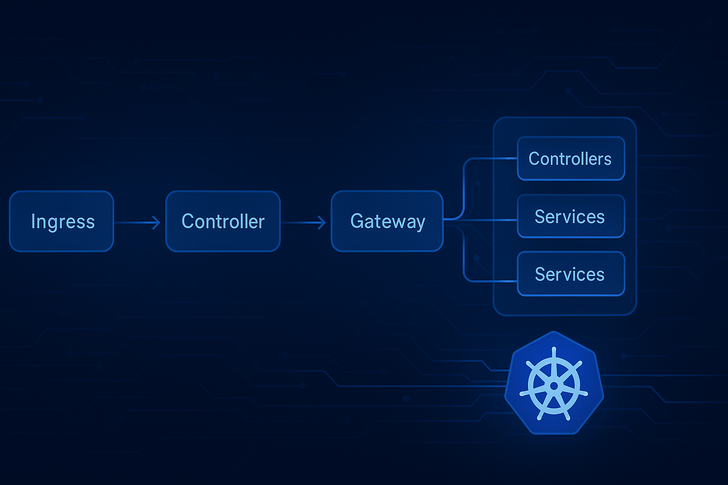
The Evolution of Kubernetes Traffic Management
As Kubernetes adoption has matured, the simple Ingress model that served us well in the early days is showing its limitations in production environments. Today's cloud-native applications demand more sophisticated traffic routing, multi-tenancy support, and better separation of concerns. This is where the Gateway API comes in—not as a replacement for Ingress, but as its natural evolution.
Understanding the Traditional Ingress Flow
Let's first examine how traffic flows through a typical Ingress setup:
Practical Ingress Example
# 1. The Ingress Resource - defines routing rules
apiVersion: networking.k8s.io/v1
kind: Ingress
metadata:
  name: ecommerce-ingress
  annotations:
    nginx.ingress.kubernetes.io/rewrite-target: /
spec:
  tls:
  - hosts:
    - shop.example.com
    secretName: tls-secret
  rules:
  - host: shop.example.com
    http:
      paths:
      - path: /products
        pathType: Prefix
        backend:
          service:
            name: product-service
            port:
              number: 80
      - path: /cart
        pathType: Prefix
        backend:
          service:
            name: cart-service
            port:
              number: 80
# 2. The Backend Service
apiVersion: v1
kind: Service
metadata:
name: product-service
spec:
selector:
app: product
ports:
- port: 80
targetPort: 8080# 3. The Application Pods
apiVersion: apps/v1
kind: Deployment
metadata:
name: product-deployment
spec:
replicas: 3
selector:
matchLabels:
app: product
template:
metadata:
labels:
app: product
spec:
containers:
- name: product-container
image: myregistry/product-app:latest
ports:
- containerPort: 8080Flow Analysis:
- User visits
https://shop.example.com/products - Cloud Load Balancer (created by Ingress Controller) receives request
- NGINX Ingress Controller pod examines the Ingress resource rules
- Request routed to
product-serviceClusterIP - Service load balances across 3 product pods
- Product container processes the request
The Limitations of Ingress
While Ingress works well for simple use cases, it faces challenges in complex environments:
- Single Resource Bottleneck: One Ingress resource controls all routing
- Limited Protocol Support: Primarily HTTP/HTTPS-focused
- Poor Multi-tenancy: No namespace isolation or role separation
- Vendor Annotations: Heavy reliance on implementation-specific annotations
- Complex Cross-namespace Routing: Difficult and insecure to implement
Enter Gateway API: A Modular, Role-Based Approach
The Gateway API addresses these limitations through a layered, role-based model. Let's explore this with a complete example.
Gateway API Implementation Example
Layer 1: Infrastructure Provider (Platform Team)
# GatewayClass - Defines the type of gateway implementation
apiVersion: gateway.networking.k8s.io/v1
kind: GatewayClass
metadata:
  name: company-gateway-class
spec:
  controllerName: istio.io/gateway-controller
  parametersRef:
    name: company-gateway-params
    group: networking.istio.io
    kind: IstioGateway
---
apiVersion: networking.istio.io/v1alpha3
kind: IstioGateway
metadata:
  name: company-gateway-params
spec:
  mesh: company-mesh
  serviceType: LoadBalancer
Layer 2: Cluster Administrator
# Gateway - The actual entry point to the cluster
apiVersion: gateway.networking.k8s.io/v1
kind: Gateway
metadata:
  name: company-gateway
  namespace: gateway-system
spec:
  gatewayClassName: company-gateway-class
  listeners:
  - name: https
    port: 443
    protocol: HTTPS
    hostname: "*.company.com"
    tls:
      mode: Terminate
      certificateRefs:
      - name: wildcard-cert
    allowedRoutes:
      namespaces:
        from: Selector
        selector:
          matchLabels:
            gateway-access: enabled
---
# TLS Certificate
apiVersion: cert-manager.io/v1
kind: Certificate
metadata:
  name: wildcard-cert
  namespace: gateway-system
spec:
  secretName: wildcard-tls
  issuerRef:
    name: letsencrypt-prod
    kind: ClusterIssuer
  dnsNames:
  - "*.company.com"
Layer 3: Application Team (E-commerce Team)
# HTTPRoute - Application-specific routing rules
apiVersion: gateway.networking.k8s.io/v1
kind: HTTPRoute
metadata:
  name: ecommerce-route
  namespace: ecommerce-prod
  labels:
    gateway-access: enabled
spec:
  parentRefs:
  - name: company-gateway
    namespace: gateway-system
  hostnames:
  - "shop.company.com"
  rules:
  - matches:
    - path:
        type: PathPrefix
        value: /api/products
    backendRefs:
    - name: product-api-service
      port: 8080
      weight: 80
    - name: product-api-v2-service
      port: 8080
      weight: 20
    filters:
    - type: RequestHeaderModifier
      requestHeaderModifier:
        add:
        - name: X-Traffic-Type
          value: canary-testing
  - matches:
    - headers:
      - type: Exact
        name: X-Mobile-App
        value: "true"
      path:
        type: PathPrefix
        value: /mobile
    backendRefs:
    - name: mobile-optimized-service
      port: 8080
Layer 4: Application Team (Analytics Team)
# Separate HTTPRoute for analytics namespace
apiVersion: gateway.networking.k8s.io/v1
kind: HTTPRoute
metadata:
  name: analytics-route
  namespace: analytics-prod
  labels:
    gateway-access: enabled
spec:
  parentRefs:
  - name: company-gateway
    namespace: gateway-system
  hostnames:
  - "analytics.company.com"
  rules:
  - matches:
    - path:
        type: PathPrefix
        value: /dashboard
    backendRefs:
    - name: dashboard-service
      port: 3000
  - matches:
    - queryParams:
      - type: Exact
        name: export
        value: pdf
      path:
        type: Exact
        value: /reports
    backendRefs:
    - name: report-export-service
      port: 8080
Traffic Flow Comparison
Ingress Traffic Flow:
User Request → Cloud LB → Ingress Controller Pod → Ingress Resource → Service → Pod
                    ↑
           (Single point of control)
Gateway API Traffic Flow:
User Request → Cloud LB → Gateway Controller → Gateway Resource → HTTPRoute → Service → Pod
                    ↑              ↑                ↑                ↑
          (Infra Team)    (Cluster Admin)    (App Team A)    (App Team B)
           Governs HOW      Defines WHERE      Defines RULES    Different namespace,
          it's implemented   it's exposed      for their apps      different team
Key Advantages of Gateway API
1. Role Separation & Self-Service
# Platform Team manages infrastructure
apiVersion: gateway.networking.k8s.io/v1
kind: GatewayClass
metadata:
  name: aws-alb-gatewayclass
spec:
  controllerName: "aws.amazon.com/alb-ingress-controller"
  description: "AWS ALB managed by platform team"

# App teams manage their own routing
apiVersion: gateway.networking.k8s.io/v1
kind: HTTPRoute
metadata:
  name: team-a-route
  namespace: team-a
spec:
  parentRefs:
  - name: shared-gateway
  rules:
  - backendRefs:
    - name: team-a-service
2. Advanced Traffic Management
# Complex routing scenarios made simple
rules:
- matches:
  - headers:
    - name: user-tier
      value: premium
  backendRefs:
  - name: premium-service
    weight: 100
  filters:
  - type: RequestMirror
    requestMirror:
      backendRef:
        name: shadow-service
- matches:
  - path:
      value: /api/version
  filters:
  - type: URLRewrite
    urlRewrite:
      path:
        type: ReplaceFullPath
        replaceFullPath: /version-info
3. Cross-Namespace Routing with Security
# Gateway restricts which namespaces can attach routes
spec:
  listeners:
  - allowedRoutes:
      namespaces:
        from: Selector
        selector:
          matchLabels:
            environment: production
            team: ecommerce

# Only labeled namespaces can use this gateway
4. Protocol Support Beyond HTTP
# TCP and UDP routing
listeners:
- name: tcp-3306
  port: 3306
  protocol: TCP
  allowedRoutes:
    kinds:
    - kind: TCPRoute
- name: udp-53
  port: 53
  protocol: UDP
  allowedRoutes:
    kinds:
    - kind: UDPRoute
Migration Strategy: From Ingress to Gateway API
Phase 1: Coexistence
# Run both Ingress and Gateway controllers
# Add GatewayClass alongside existing IngressClass
apiVersion: networking.k8s.io/v1
kind: IngressClass
metadata:
  name: nginx
spec:
  controller: k8s.io/ingress-nginx
---
apiVersion: gateway.networking.k8s.io/v1
kind: GatewayClass
metadata:
  name: gateway-api
spec:
  controllerName: gateway.networking.k8s.io/gateway-controller
Phase 2: Gradual Migration
# Convert Ingress to HTTPRoute using migration tools
kubectl convert ingress legacy-ingress --to-httproute -o yaml

# Test side-by-side before cutover
Phase 3: Full Adoption
Decommission Ingress resources
Implement Gateway API policies
Enable advanced features (mesh, canary, mirroring)
Real-World Use Cases Where Gateway API Shines
Case 1: Multi-team Enterprise
# Platform team provisions shared gateway
# Each team gets their own HTTPRoute in their namespace
# Teams can independently:
# - Configure their own routes
# - Implement canary deployments
# - Set up traffic splitting
# - Apply request/response modifications
Case 2: API Gateway Pattern
# Single gateway with multiple API routes
rules:
- matches:
  - path:
      value: /v1/users
  backendRefs:
  - name: user-service-v1
- matches:
  - path:
      value: /v2/users
  backendRefs:
  - name: user-service-v2
  filters:
  - type: RequestHeaderModifier
    requestHeaderModifier:
      set:
      - name: API-Version
        value: "v2"
Case 3: Microservices Traffic Management
# Complex traffic management across services
backendRefs:
- name: service-a
  weight: 90
- name: service-a-canary
  weight: 10
filters:
- type: RequestMirror
  requestMirror:
    backendRef:
      name: shadow-cluster
Best Practices for Gateway API Implementation
- Start with GatewayClass: Define clear gateway types for your organization
- Implement Namespace Isolation: Use label selectors to control access
- Use ReferenceGrant for Cross-namespace Backends: Secure cross-namespace references
- Implement Monitoring Early: Track gateway and route metrics
- Create Standard Templates: Provide teams with approved HTTPRoute templates
Monitoring and Observability
# Gateway API resources expose rich metrics
# Example monitoring configuration
apiVersion: monitoring.coreos.com/v1
kind: ServiceMonitor
metadata:
  name: gateway-api-monitor
spec:
  selector:
    matchLabels:
      gateway-type: external
  endpoints:
  - port: metrics
    interval: 30s
    path: /metrics
Conclusion: Why Gateway API is the Future
The Gateway API isn't just a "better Ingress"—it's a paradigm shift in how we think about Kubernetes traffic management. By separating concerns across different roles (infrastructure, cluster admin, application teams), it enables:
- Better Security: Fine-grained access control and namespace isolation
- Improved Scalability: Distributed configuration management
- Enhanced Flexibility: Protocol-agnostic design
- Enterprise Readiness: Proper multi-tenancy and self-service capabilities
While Ingress remains sufficient for simple applications, teams building complex, multi-tenant, or enterprise-grade platforms on Kubernetes will find Gateway API essential. The investment in learning and adopting this API pays dividends in operational efficiency, security, and scalability.
The bottom line: Start experimenting with Gateway API today, even if you're not ready to migrate. The future of Kubernetes networking is modular, role-based, and more powerful than ever.
Resources to Get Started:
- Gateway API Official Documentation
- Kubernetes Gateway API GitHub
- Hands-on Gateway API Tutorials
- Migration Guide from Ingress