
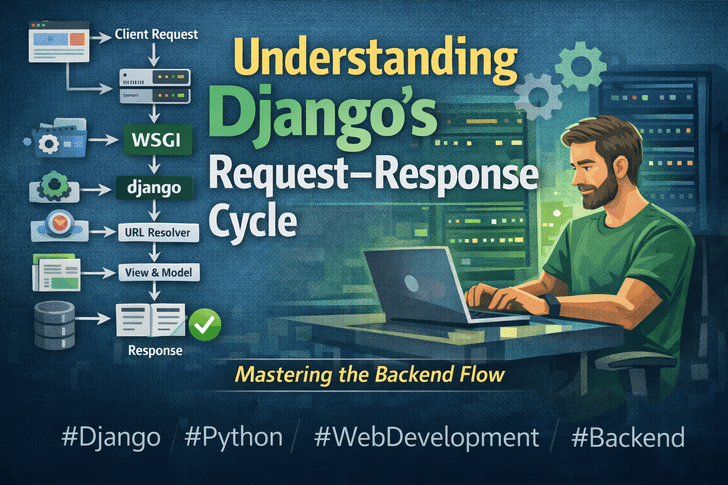
Django is one of the most popular Python web frameworks, powering thousands of websites worldwide. Many developers use it daily, but few truly understand what happens under the hood when a client makes a request. Understanding the request–response cycle is crucial if you want to debug effectively, optimize performance, and design scalable systems.
In this article, we’ll break down the Django request–response lifecycle step by step, with examples, so you can see what really happens behind the scenes.
The Django Request–Response Lifecycle: Step by Step
When a user visits a Django-powered site, the journey from request to response involves multiple layers. Here’s a simplified flow:
1️⃣ Client Sends a Request
A user’s browser sends an HTTP request to your server. This could be a request for a page, an API endpoint, or a static file.
GET /products/123 HTTP/1.1
Host: www.example.com
2️⃣ Web Server Receives the Request
A web server like Nginx or Apache accepts the request. Static files may be served directly by the web server, while dynamic requests are passed to Django through a WSGI server.
3️⃣ WSGI Passes the Request to Django
WSGI (Web Server Gateway Interface) is the bridge between your web server and Django. Popular WSGI servers include Gunicorn and uWSGI. The server hands over the request as a Python object to Django.
# Simplified representation of a WSGI call
application(environ, start_response)
4️⃣ Request Middleware Processes the Request
Before reaching your views, Django passes the request through middleware. Middleware can perform operations like:
- Authentication checks
- Logging requests
- Modifying headers
class SimpleMiddleware:
    def __init__(self, get_response):
        self.get_response = get_response

    def __call__(self, request):
        print("Before view")
        response = self.get_response(request)
        print("After view")
        return response
5️⃣ URL Resolver Matches the Request to a View
Django’s URL dispatcher inspects the URL and determines which view should handle the request.
# urls.py
from django.urls import path
from .views import product_detail

urlpatterns = [
    path('products/<int:id>/', product_detail),
]
6️⃣ View Processes the Request
The view receives the request object, interacts with models if needed, and returns a response.
# views.py
from django.shortcuts import render, get_object_or_404
from .models import Product

def product_detail(request, id):
    product = get_object_or_404(Product, id=id)
    return render(request, 'product_detail.html', {'product': product})
7️⃣ Model Interacts with the Database
If your view queries the database, the model layer communicates with the database using Django’s ORM.
# models.py
from django.db import models

class Product(models.Model):
    name = models.CharField(max_length=100)
    price = models.DecimalField(max_digits=10, decimal_places=2)
8️⃣ Template Renders the Response
The data fetched by the view is passed to a template, which generates the final HTML or JSON.
<!-- templates/product_detail.html -->
<h1>{{ product.name }}</h1>
<p>Price: ${{ product.price }}</p>
9️⃣ Response Middleware Processes the Response
The response passes through response middleware, where you can modify it (e.g., add headers or compress content).
10️⃣ Final Response Sent to Client
Django hands the response back to the WSGI server, which then sends it to the browser. The user sees the rendered page.
Why Understanding This Matters
Many developers misuse Django middleware, overlook caching, or misunderstand why certain requests are slow. Knowing the flow helps you:
- Debug more effectively – know which layer is causing an issue.
- Optimize performance – implement caching or database indexing at the right place.
- Design scalable systems – plan middleware and view architecture correctly.
- Handle authentication and permissions properly – middleware vs view logic.
Example: Logging Request Time Using Middleware
# middleware.py
import time

class RequestTimerMiddleware:
    def __init__(self, get_response):
        self.get_response = get_response

    def __call__(self, request):
        start = time.time()
        response = self.get_response(request)
        duration = time.time() - start
        print(f"Request to {request.path} took {duration:.2f} seconds")
        return response
Add it to your settings.py:
MIDDLEWARE = [
    'django.middleware.security.SecurityMiddleware',
    'myapp.middleware.RequestTimerMiddleware',
    # other middleware...
]
Now, every request’s duration is logged — a simple way to see the request lifecycle in action.
Conclusion
Understanding Django’s request–response cycle transforms you from a “magical framework user” into a confident backend developer. You’ll debug faster, optimize better, and design robust applications with clarity.
Start by exploring middleware, URL resolution, and templates in detail. Once you master the flow, Django will feel less like magic and more like a powerful tool you fully control.