
🔍 Introduction to LINQ
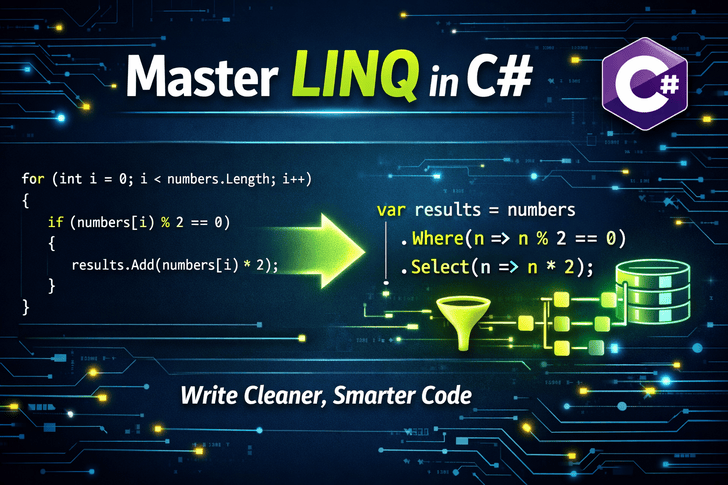
LINQ (Language Integrated Query) is one of C#'s most powerful features, revolutionizing how developers work with data. Instead of writing verbose loops and conditional logic, LINQ enables you to express complex data operations with clean, declarative syntax that reads almost like natural language.
Think of LINQ as SQL for your C# collections, databases, XML, and more—all unified under a single, consistent query syntax.
🎯 Why LINQ Transforms Your Code
1. Enhanced Readability
// Traditional approach
List<string> filteredNames = new List<string>();
foreach (var person in people)
{
    if (person.Age > 18 && person.IsActive)
    {
        filteredNames.Add(person.Name);
    }
}

// LINQ approach
var filteredNames = people
    .Where(p => p.Age > 18 && p.IsActive)
    .Select(p => p.Name)
    .ToList();
The LINQ version clearly states what you want, not how to get it.
2. Reduced Boilerplate
LINQ eliminates repetitive code patterns, making your intentions explicit and reducing bugs.
3. Unified Data Querying
Whether you're querying SQL databases, XML documents, or in-memory collections, LINQ provides a consistent syntax.
📚 Essential LINQ Methods with Examples
Basic Operations
Where() – Filtering Data
var products = new List<Product>
{
    new Product { Id = 1, Name = "Laptop", Price = 999.99m, Category = "Electronics" },
    new Product { Id = 2, Name = "Coffee Mug", Price = 15.99m, Category = "Kitchen" },
    new Product { Id = 3, Name = "Smartphone", Price = 799.99m, Category = "Electronics" }
};

// Get affordable electronics
var affordableElectronics = products
    .Where(p => p.Category == "Electronics" && p.Price < 900)
    .ToList();
Select() – Projecting Data
// Transform objects
var productSummaries = products
    .Select(p => new
    {
        p.Name,
        FormattedPrice = $"${p.Price:F2}",
        IsExpensive = p.Price > 500
    })
    .ToList();
OrderBy() / OrderByDescending() – Sorting
var sortedProducts = products
    .OrderBy(p => p.Price)          // Primary sort
    .ThenByDescending(p => p.Name)  // Secondary sort
    .ToList();
Intermediate Operations
GroupBy() – Categorizing Data
var productsByCategory = products
    .GroupBy(p => p.Category)
    .Select(g => new
    {
        Category = g.Key,
        Count = g.Count(),
        TotalValue = g.Sum(p => p.Price),
        Products = g.ToList()
    })
    .ToList();

foreach (var group in productsByCategory)
{
    Console.WriteLine($"Category: {group.Category}");
    Console.WriteLine($"Number of products: {group.Count}");
    Console.WriteLine($"Total value: ${group.TotalValue}");
}
Aggregate Functions
var stats = new
{
    TotalProducts = products.Count(),
    AveragePrice = products.Average(p => p.Price),
    MaxPrice = products.Max(p => p.Price),
    MinPrice = products.Min(p => p.Price),
    TotalValue = products.Sum(p => p.Price)
};
Any() vs All()
bool hasExpensiveItems = products.Any(p => p.Price > 1000);
bool allHavePrices = products.All(p => p.Price > 0);
Advanced Operations
Join() – Combining Data
var orders = new List<Order>
{
    new Order { OrderId = 1, ProductId = 1, Quantity = 2 },
    new Order { OrderId = 2, ProductId = 3, Quantity = 1 }
};

var orderDetails = products
    .Join(orders,
        p => p.Id,
        o => o.ProductId,
        (product, order) => new
        {
            OrderId = order.OrderId,
            ProductName = product.Name,
            TotalCost = product.Price * order.Quantity
        })
    .ToList();
ToDictionary() and ToLookup()
// Fast lookup by ID
var productDictionary = products
    .ToDictionary(p => p.Id, p => p.Name);

// One-to-many relationship
var categoryLookup = products
    .ToLookup(p => p.Category);

// Get all electronics quickly
var electronics = categoryLookup["Electronics"];
Distinct() – Removing Duplicates
var duplicateNumbers = new List<int> { 1, 2, 2, 3, 4, 4, 5 };
var uniqueNumbers = duplicateNumbers.Distinct().ToList();
Skip() and Take() – Pagination
int pageSize = 10;
int pageNumber = 2;

var pageResults = products
    .OrderBy(p => p.Name)
    .Skip((pageNumber - 1) * pageSize)
    .Take(pageSize)
    .ToList();
💡 Performance Considerations
Deferred Execution
// Query is defined but not executed yet
var query = products.Where(p => p.Price > 100);

// Execution happens here
foreach (var product in query) { /* ... */ }

// Or here
var list = query.ToList();
Immediate Execution Methods
// These execute immediately:
.ToList()
.ToArray()
.Count()
.First()
.Single()
Optimization Tips
// ❌ Inefficient
var expensiveProducts = products
    .Where(p => p.Price > 100)
    .ToList()
    .Where(p => p.Category == "Electronics"); // Second query on in-memory list

// ✅ Efficient
var expensiveElectronics = products
    .Where(p => p.Price > 100 && p.Category == "Electronics")
    .ToList();
🛠️ Real-World Scenarios
Scenario 1: Data Reporting
public class SalesReport
{
    public static void GenerateMonthlyReport(List<Sale> sales)
    {
        var monthlySummary = sales
            .Where(s => s.Date.Year == DateTime.Now.Year)
            .GroupBy(s => s.Date.Month)
            .Select(g => new
            {
                Month = CultureInfo.CurrentCulture.DateTimeFormat.GetMonthName(g.Key),
                TotalSales = g.Sum(s => s.Amount),
                AverageSale = g.Average(s => s.Amount),
                TransactionCount = g.Count()
            })
            .OrderBy(m => DateTime.ParseExact(m.Month, "MMMM", CultureInfo.CurrentCulture).Month)
            .ToList();
    }
}
Scenario 2: Data Validation
public class UserValidator
{
    public ValidationResult ValidateUsers(List<User> users)
    {
        var duplicates = users
            .GroupBy(u => u.Email)
            .Where(g => g.Count() > 1)
            .Select(g => g.Key)
            .ToList();

        var invalidEmails = users
            .Where(u => !IsValidEmail(u.Email))
            .Select(u => u.Id)
            .ToList();

        return new ValidationResult
        {
            HasDuplicates = duplicates.Any(),
            DuplicateEmails = duplicates,
            InvalidEmailUsers = invalidEmails
        };
    }
}
📊 LINQ Syntax Styles
Method Syntax (Fluent)
var result = collection
    .Where(item => item.Condition)
    .Select(item => item.Property)
    .OrderBy(item => item.Field);
Query Syntax (SQL-like)
var result = from item in collection
             where item.Condition
             orderby item.Field
             select item.Property;
Pro Tip: Use method syntax for complex operations and query syntax for simple joins and groupings that mimic SQL.
🚀 Pro Tips for LINQ Mastery
Chain Wisely: Order operations from most restrictive to least for better performance
Use Let for Complex Queries:
var query = from product in products
            let discountPrice = product.Price * 0.9m
            where discountPrice > 50
            select new { product.Name, DiscountPrice = discountPrice };
Custom Extension Methods:
public static IEnumerable<T> WhereIf<T>(
    this IEnumerable<T> source,
    bool condition,
    Func<T, bool> predicate)
{
    return condition ? source.Where(predicate) : source;
}

// Usage
var filtered = products
    .WhereIf(applyFilter, p => p.Price > 100)
    .ToList();
🔮 Advanced: PLINQ for Parallel Processing
var largeDataset = Enumerable.Range(1, 1000000);

// Parallel processing
var parallelResult = largeDataset
    .AsParallel()
    .Where(x => x % 2 == 0)
    .Select(x => ProcessItem(x))
    .ToList();
📝 Conclusion
Mastering LINQ transforms you from a coder who tells the computer how to do things into an architect who declares what needs to be done. It makes your code more expressive, maintainable, and often more performant.
The key to LINQ mastery is practice. Start replacing loops with LINQ queries, explore different methods, and soon you'll find yourself writing cleaner, more elegant C# code that clearly communicates your intent.