
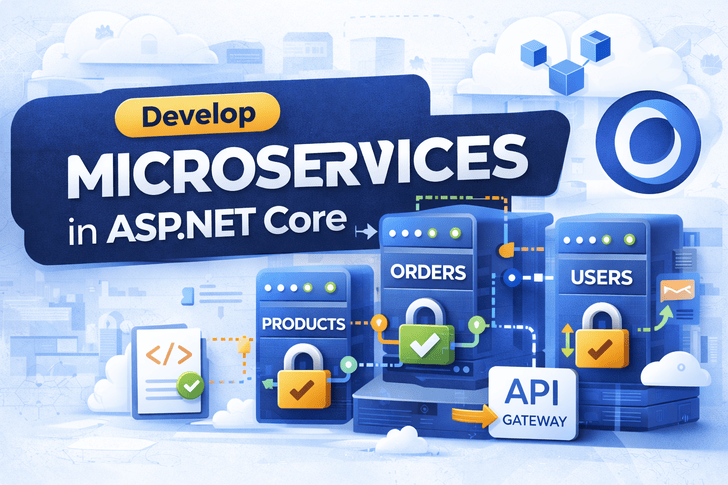
After building, securing, and deploying your ASP.NET Core applications, it’s time to scale them for real-world production environments.
This article shows you how to break a monolith into microservices and deploy them using Kubernetes.
What Are Microservices?
Microservices are a way of designing applications as a collection of small, independent services, each handling one business capability.
Benefits:
- Independent deployment
- Better scalability
- Fault isolation
- Technology agnostic (each service can use different tech)
Drawbacks:
- More complex than monolith
- Requires proper monitoring & orchestration
- Distributed system challenges
Microservices vs Monolith
| Feature     | Monolith    | Microservices        |
| ----------- | ----------- | -------------------- |
| Deployment  | Single unit | Independent services |
| Scalability | Whole app   | Individual services  |
| Maintenance | Slower      | Faster per service   |
| Tech Stack  | Fixed       | Mixed possible       |
| Complexity  | Lower       | Higher               |
Step 1: Split ASP.NET Core App Into Services
Example split:
| Service          | Responsibility                | Port |
| ---------------- | ----------------------------- | ---- |
| Users Service    | Registration, Login, Identity | 5001 |
| Orders Service   | Order management              | 5002 |
| Products Service | Catalog & Inventory           | 5003 |
| API Gateway      | Routes requests to services   | 5000 |
Step 2: Dockerize Each Microservice
Example Dockerfile for Users Service
FROM mcr.microsoft.com/dotnet/sdk:8.0 AS build
WORKDIR /app
COPY . .
RUN dotnet restore
RUN dotnet publish -c Release -o out

FROM mcr.microsoft.com/dotnet/aspnet:8.0
WORKDIR /app
COPY --from=build /app/out .
EXPOSE 5001
ENTRYPOINT ["dotnet", "UsersService.dll"]
Repeat for OrdersService, ProductsService, etc.
Step 3: Create Docker Compose for Local Testing
version: "3.9"
services:
  users:
    build: ./UsersService
    ports:
      - "5001:5001"
  orders:
    build: ./OrdersService
    ports:
      - "5002:5002"
  products:
    build: ./ProductsService
    ports:
      - "5003:5003"
Test locally:
docker compose upStep 4: Kubernetes Basics
Kubernetes (K8s) manages containers at scale:
- Pods → Smallest deployable unit (1+ containers)
- Deployments → Manage replicas of pods
- Services → Networking / load balancing
- ConfigMaps & Secrets → Environment variables & secrets
Step 5: Kubernetes Deployment Example
Deployment YAML for Users Service
apiVersion: apps/v1
kind: Deployment
metadata:
  name: users-deployment
spec:
  replicas: 3
  selector:
    matchLabels:
      app: users
  template:
    metadata:
      labels:
        app: users
    spec:
      containers:
      - name: users
        image: mydockerhub/users-service:latest
        ports:
        - containerPort: 5001
        env:
        - name: ASPNETCORE_ENVIRONMENT
          value: Production
Service YAML
apiVersion: v1
kind: Service
metadata:
  name: users-service
spec:
  selector:
    app: users
  ports:
    - protocol: TCP
      port: 80
      targetPort: 5001
  type: ClusterIP
Step 6: API Gateway / Ingress
- Routes traffic from outside to microservices
- Supports HTTPS & Load Balancing
Example Ingress YAML
apiVersion: networking.k8s.io/v1
kind: Ingress
metadata:
  name: api-gateway
  annotations:
    nginx.ingress.kubernetes.io/rewrite-target: /
spec:
  rules:
  - host: api.example.com
    http:
      paths:
      - path: /users
        pathType: Prefix
        backend:
          service:
            name: users-service
            port:
              number: 80
      - path: /orders
        pathType: Prefix
        backend:
          service:
            name: orders-service
            port:
              number: 80
Step 7: Scaling Services
Kubernetes makes scaling simple:
kubectl scale deployment users-deployment --replicas=5✔ More replicas = more load capacity
✔ Kubernetes handles traffic distribution automatically
Step 8: ConfigMaps & Secrets
- ConfigMap → Non-sensitive environment variables
- Secret → Sensitive values (DB password, JWT keys)
apiVersion: v1
kind: Secret
metadata:
  name: db-secret
type: Opaque
data:
  connection: base64encodedpassword
Access in Deployment via envFrom: secretRef
Step 9: Monitoring & Logging
- Prometheus + Grafana → Metrics
- ELK Stack / Loki → Logs
- Alerts → CPU/memory/HTTP errors
Monitoring is critical in microservices because failures can cascade.
Step 10: CI/CD for Microservices
- Each service → separate pipeline
- Build Docker image → push to registry → deploy to K8s
- Use GitHub Actions / GitLab CI / Azure DevOps
Example: Users Service CI/CD:
- Build & test
- Docker build & push
- Apply Kubernetes manifests
Step 11: Security Best Practices
- HTTPS everywhere
- JWT for service-to-service communication
- Role + claims for intra-service calls
- Limit service access via Network Policies
- Use read-only file systems for containers
- Rotate secrets regularly
Step 12: Real-World Use Cases
- Multi-tenant SaaS
- Large e-commerce platforms
- Banking & fintech
- Enterprise dashboards
Microservices + Kubernetes = enterprise-grade scalability & reliability.
✅ Summary
- Microservices split responsibilities → smaller, maintainable services
- Dockerized services → consistent environments
- Kubernetes → orchestrates containers, auto-scales, and handles failures
- API Gateway → single entry point + routing + security
- CI/CD → automated, repeatable deployments
With this, your ASP.NET Core apps are production-ready, secure, and cloud-native.
🔜 Coming Next Article
- Observability + Distributed Tracing
- Service Mesh (Istio/Linkerd)
- Multi-cluster deployments
- Auto-scaling policies & advanced rollout strategies